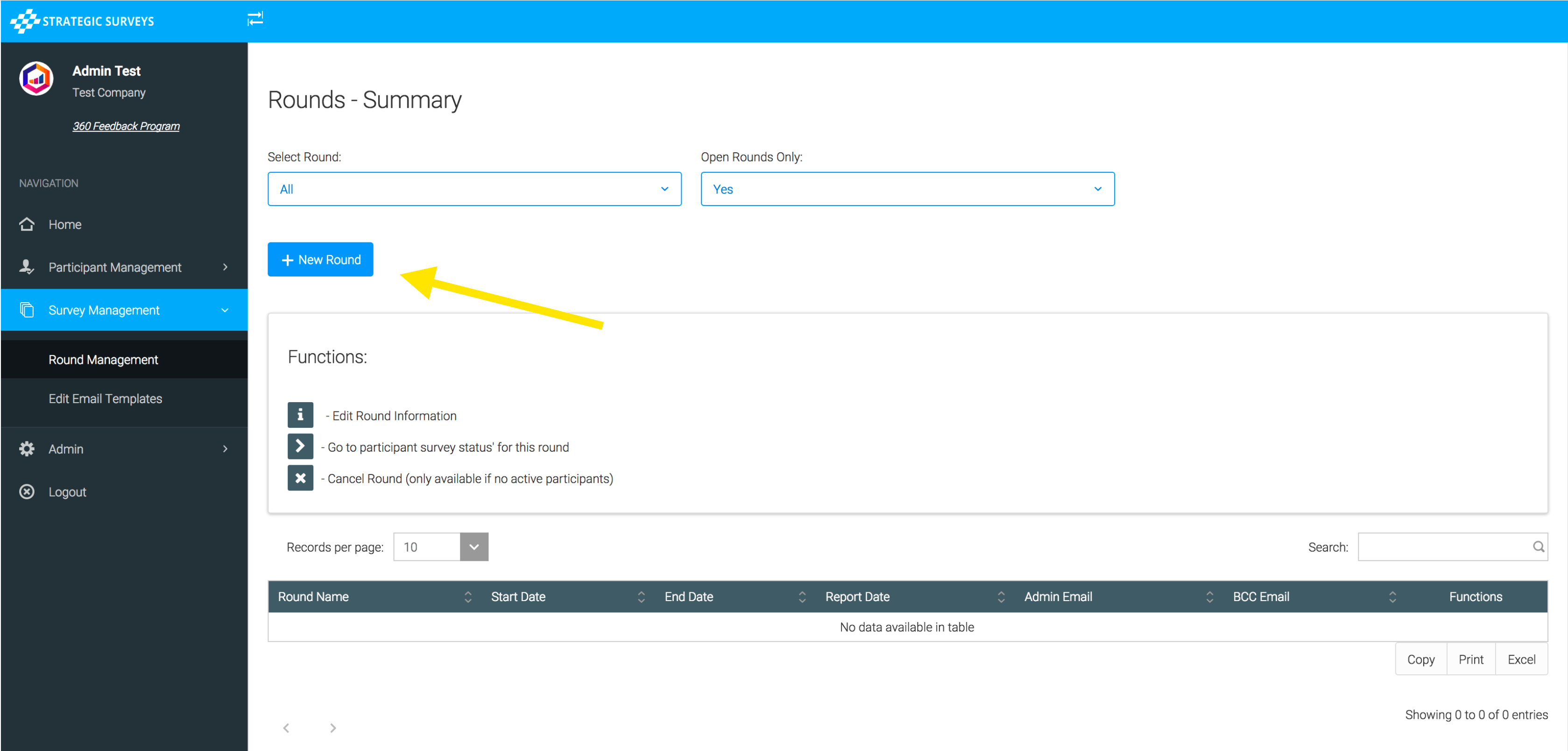
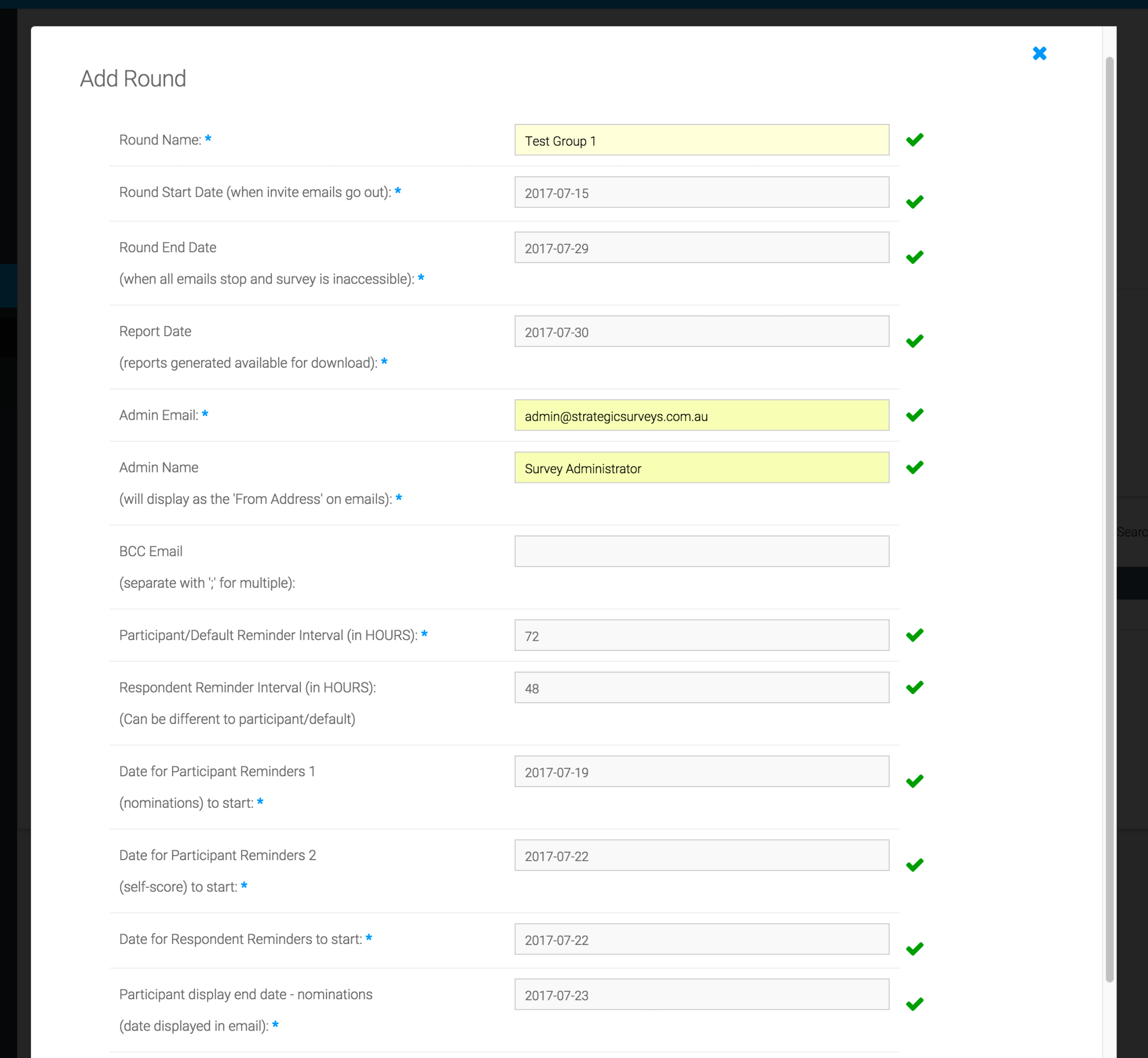
Click the ‘New Round’ button and enter the details:
Viewing and editing round information.
Round details are described below each field. Each round needs a start and end date (the end date is used to determine when reminders stop sending, when the surveys are closed off, and will hide all round information from participants/admins one week after the end date has elapsed). You must specify dates for reminder emails to start going to each group (Participant/Respondent). The display dates at the end of the form are used in the invitation and reminder emails, and the user portal, for displaying deadlines to the participants/ respondents. They are not enforced, are purely for display/notification. The reminder intervals can be different for participant and respondents - if the respondent interval isn’t set they will use the participant interval by default. The Round Name is used for display in the administration portal, and could be used if you wanted in group reports, so could be the group or cohort name.
NOTE: You must organise the email address to be initially set up by Strategic Surveys before it will work with your round, but can then re-use at any time.
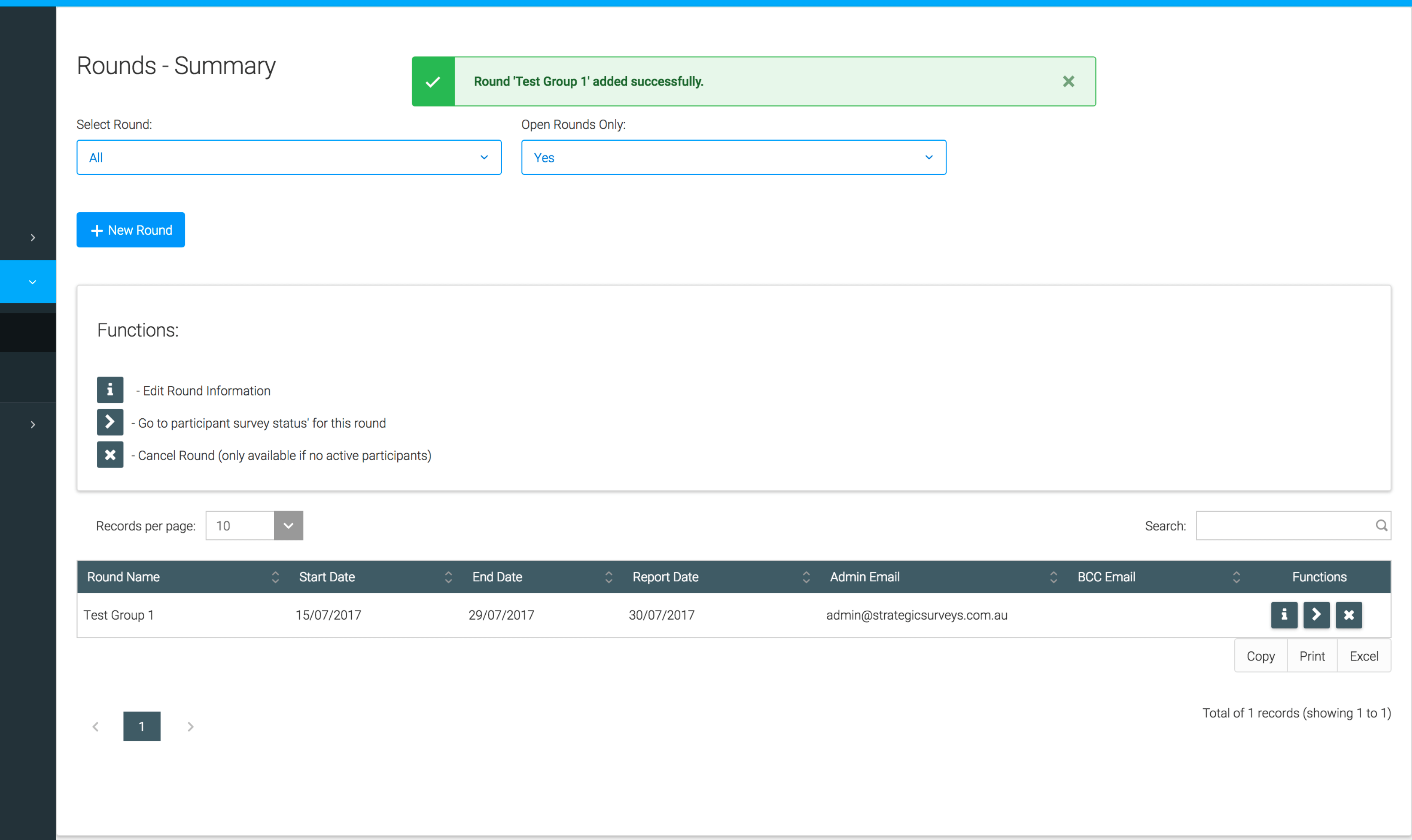
You will be notified on successful addition of the round, and it will appear in the summary table: