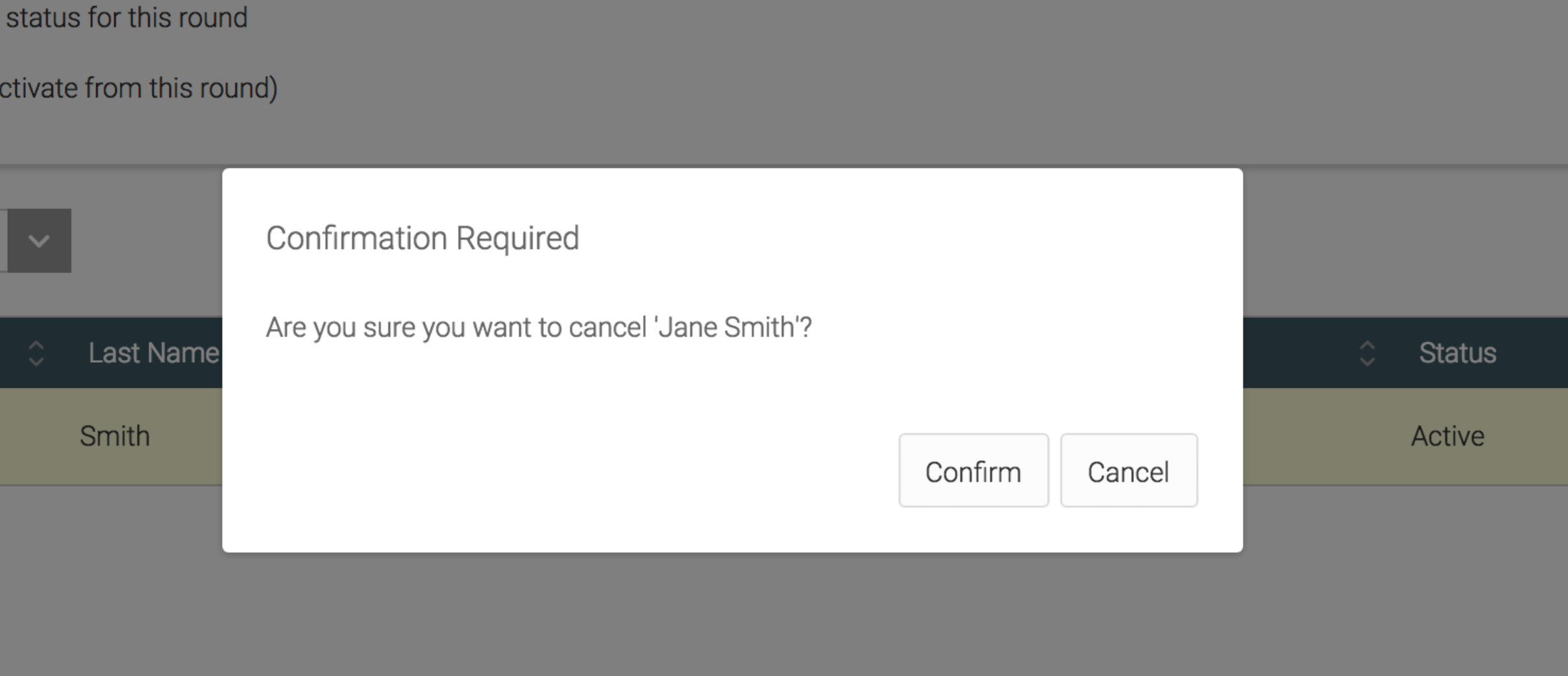
You can cancel a participant at any time and this will remove itself, the manager and any nominated respondents from being able to access the surveys (and from receiving any further email correspondence), simply click the ‘X’ function option and confirm at the prompt:
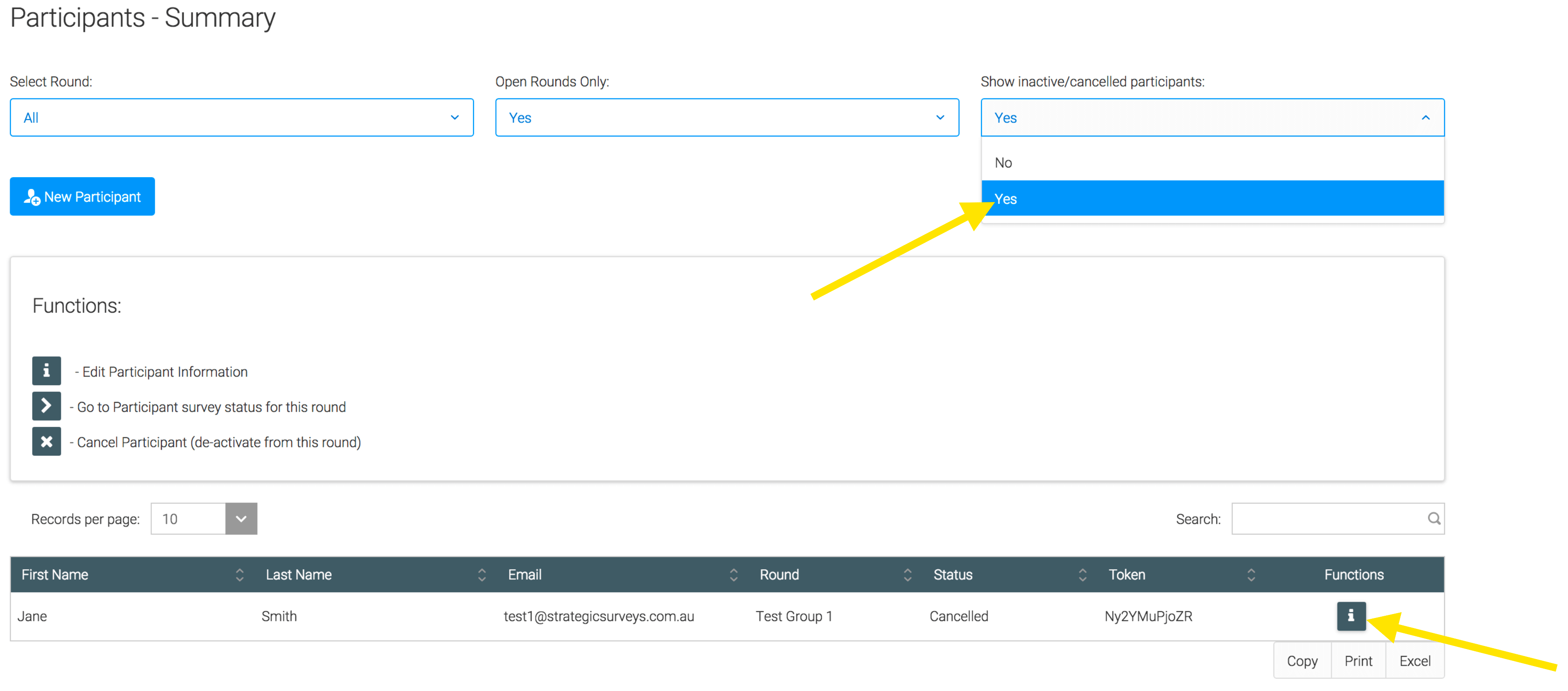
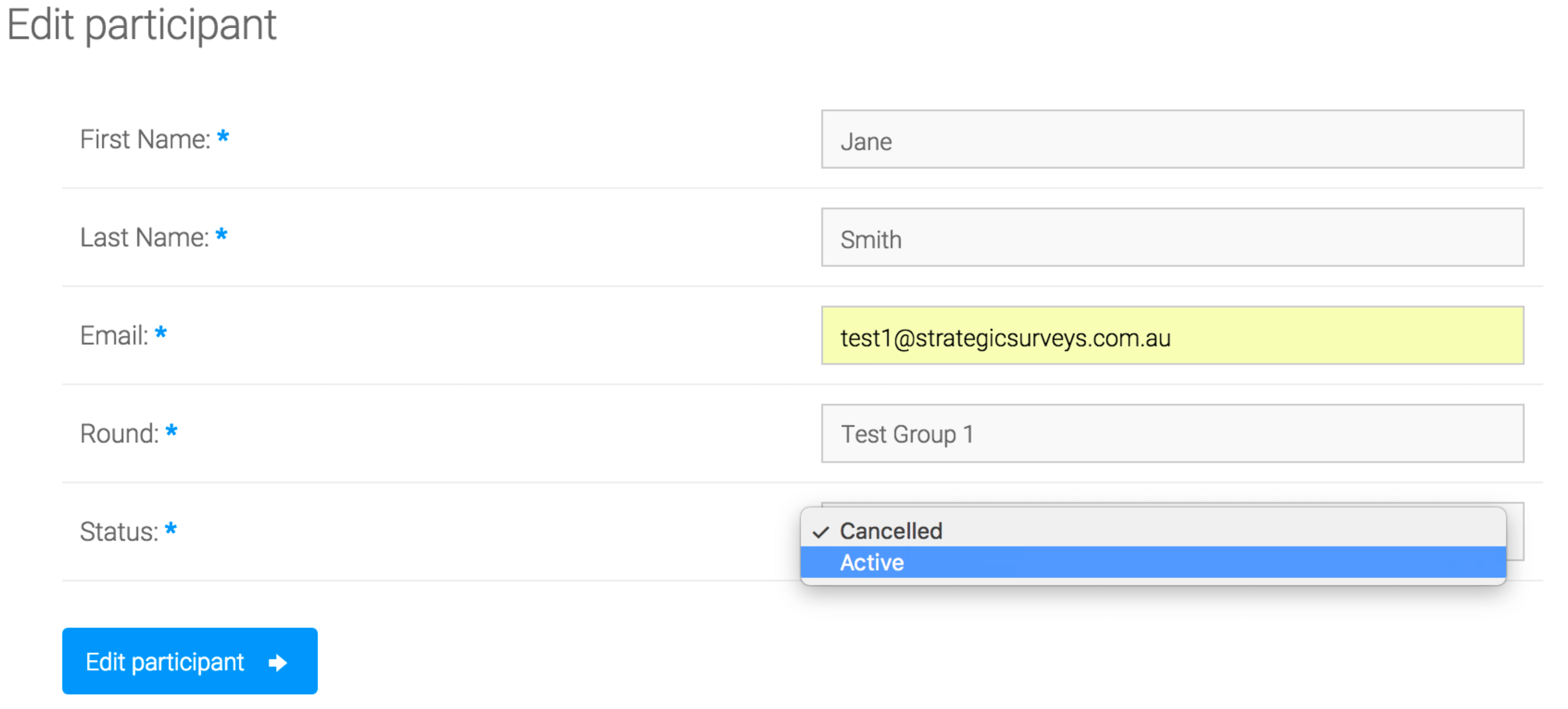
You can also ‘un-cancel’ a participant, by showing inactive/cancelled participants from the drop down, editing the cancelled participant by clicking the ‘i’ icon, and changing the Status drop down back to active. This will add the participant and their respondents back into the survey process immediately. You can also change the round of the participant in this screen if they wish to be in a future/earlier round.