
If you go to Participant Management -> Participant Round Status (or click the ‘>’ icon on the Round Management page), it will take you to the detailed survey round management screen for that participant (you can also access this screen through the menu, but it will then show the information for all active participants per round selected. Going from the participant summary table filters the information shown to just that participant) -
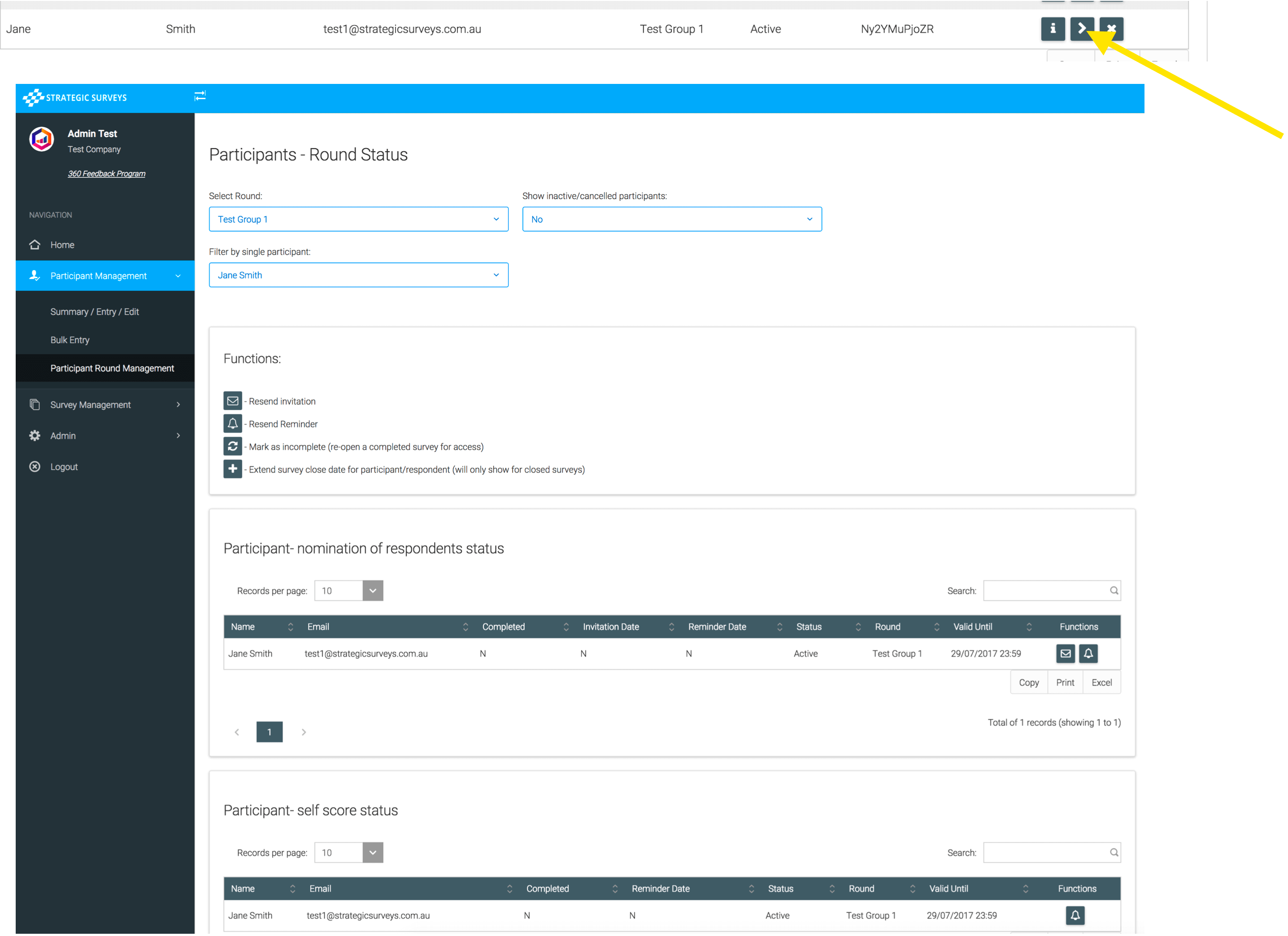
This screen shows live survey information across three tables. The first table is the status of the participant nomination survey, when it was completed and when the invite and reminder was last sent. The invite here is the main invite for the participant (inviting them to the process), the reminder is reminder to nominate respondents. The second table summarises the status of the participant self-score survey (number approved, rejected, waiting) and allows you to send a reminder to the participant to finalise it. The third table is the status of respondent surveys (once they have been nominated by the participant), when they were completed and when invitation/reminders were sent. For the simple 360 the only way to edit respondents is for the Participant (or an administrator) to go back into their nominations survey and change them their - in other frameworks Administrators can edit the respondents directly. Once a participant has added respondents and submitted their nomination survey we will see them appear here. On this page there are multiple drop downs, where you can select which round/participant to view, and whether to view cancelled/ inactive participants.
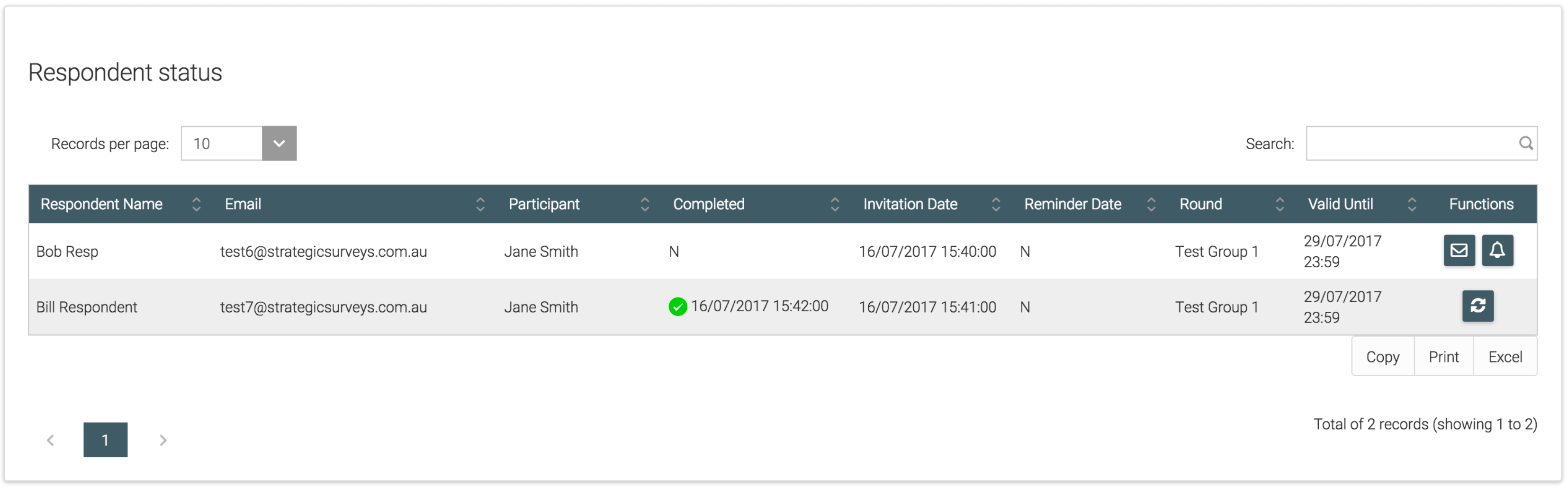
The Function buttons in each table have specific roles, mainly linked to email invitation and reminders. If you click the envelope button on any table, it will resend the invitation email for that survey. The bell is a participant/respondent reminder to complete their nominations or survey.
You can also extend the valid dates for single participants or respondents, each time you click the '+' symbol it will extend the current 'Valid Until' date for 48 hours:
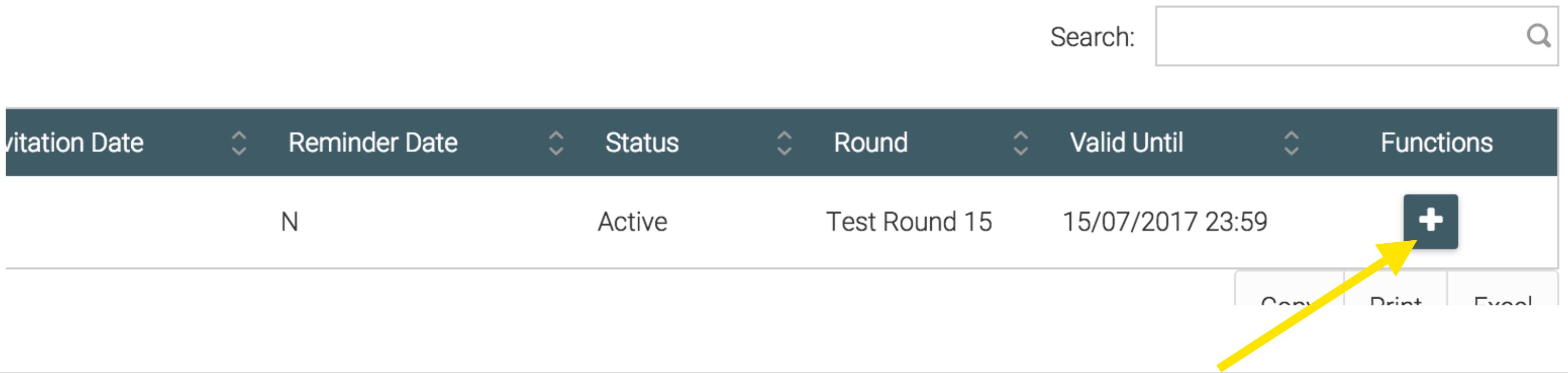
If you click this for a Participant's Self Score and they have Raters linked on the system, it will also extend for all their raters. Otherwise you can extend raters individually by using their entry in the Rater Status table.